How DropBy works
Two parts, one family. A tablet at your relative's home that simply shows the day, and an app on your phone where the whole family keeps it up to date.
See it in action
Anna sends a message from her phone. A few seconds later Grandma sees it on her screen.
Setting up
-
Prepare the tablet
Open app.dropbyhome.com on the tablet and add it to the home screen. Put it on a stand and keep it plugged in.
-
Pair with your phone
The tablet shows a QR code. Scan it, sign in with your email and create your family. Done.
-
Fill the day
Add appointments with repeats, a few photos and a first message. Invite brothers, sisters and grandchildren.
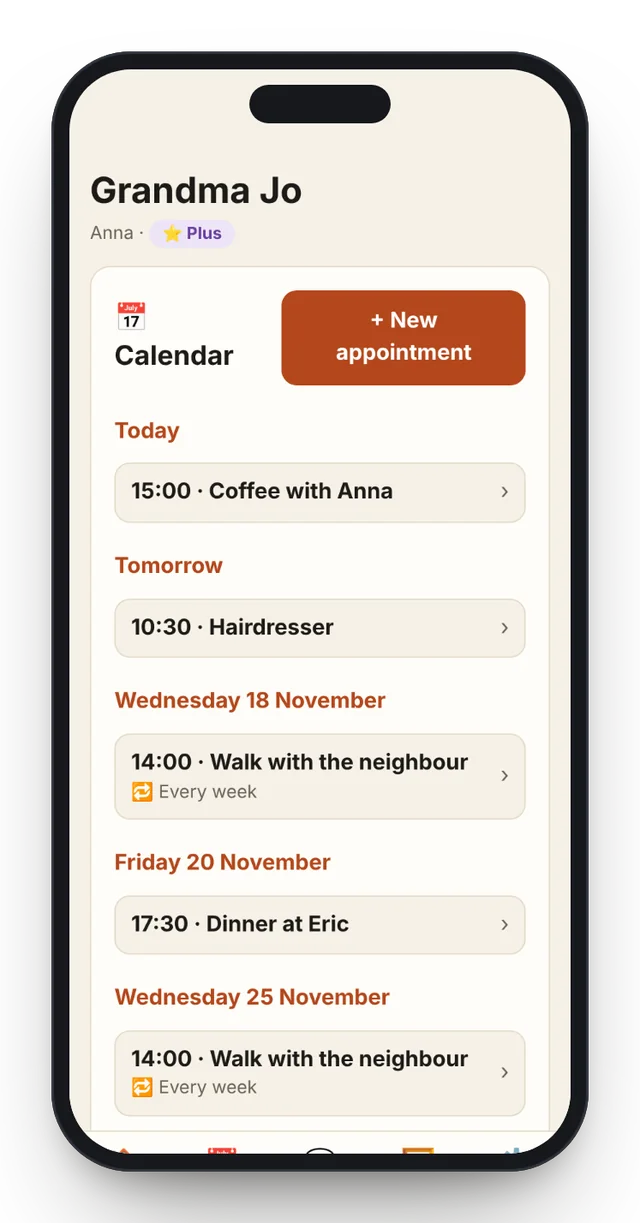
Shared agenda
The whole family keeps the day up to date
Everyone adds appointments from their own phone, with daily, weekly or monthly repeats.
Already using Google, Apple or Outlook? Link that calendar and its appointments appear by themselves.
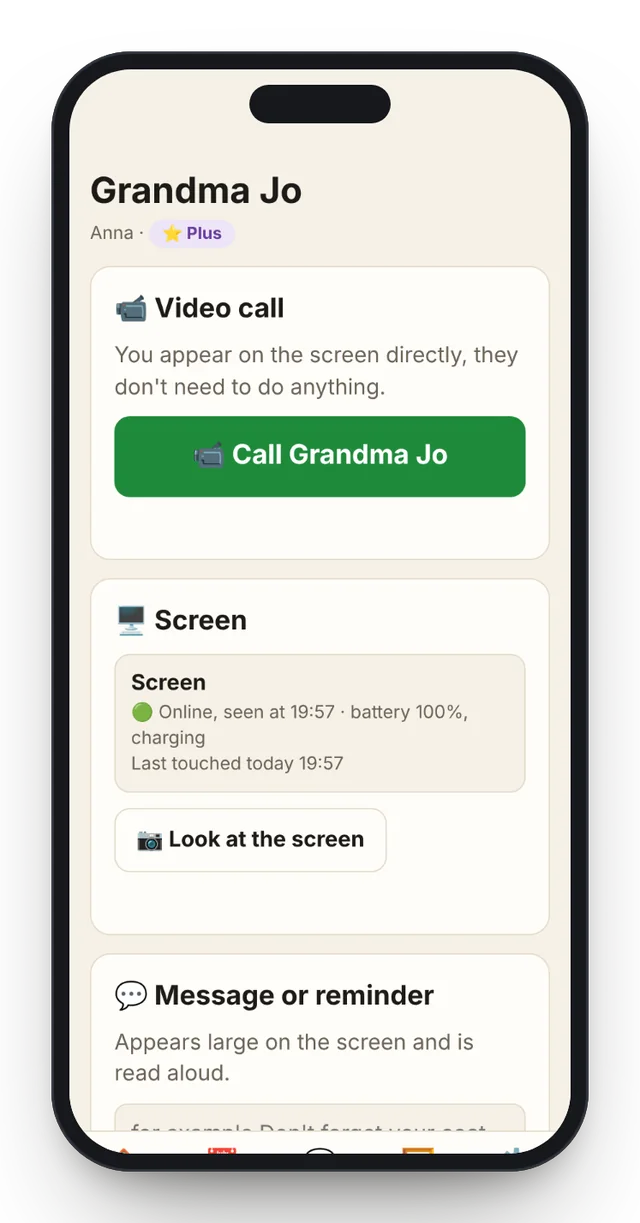
Video calling with Plus
Call, and you are simply there
No ringing, no answering, no buttons. You appear on the screen and your relative only has to say hello.
You can also see whether the screen is online and the battery is charging.
What your relative sees
The screen is designed for people who find technology hard. It never asks a question and never needs a tap.
Clock and day
An analog clock, the time in large digits, the full date and the part of the day.
Coming up
The next appointment large and clear, then the rest of the day and the week.
Weather
Today's weather for the town you enter, in plain words.
Messages
Short notes from family, shown large and clear.
Video calls
Calls open straight on the screen, also with several family members at once.
Faces
Photos of family to call from the screen with one big tap.
What the family does
The DropBy app works on every phone. Install it from the browser, no app store needed.
Shared agenda
Everyone adds appointments. Daily, weekly or monthly repeats are easy.
Alerts
Get a notification when the screen goes offline, the battery is low or the morning check is missed.
Privacy controls
Export or delete your family data at any time. You decide who joins.
What you need
No special hardware, no installation at your relative's home.
-
A tablet
Any recent Android tablet or iPad. 10 inch or larger reads best.
-
Wifi
A normal home internet connection. Video calls need a stable connection.
-
Your phone
To pair the screen and manage the family. Works on Android and iPhone.
-
Ten minutes
That is how long setting up takes. Really.
See what your relative will see
Open the demo screen, no account needed. Then start free, with 30 days of Plus included.